Only people count
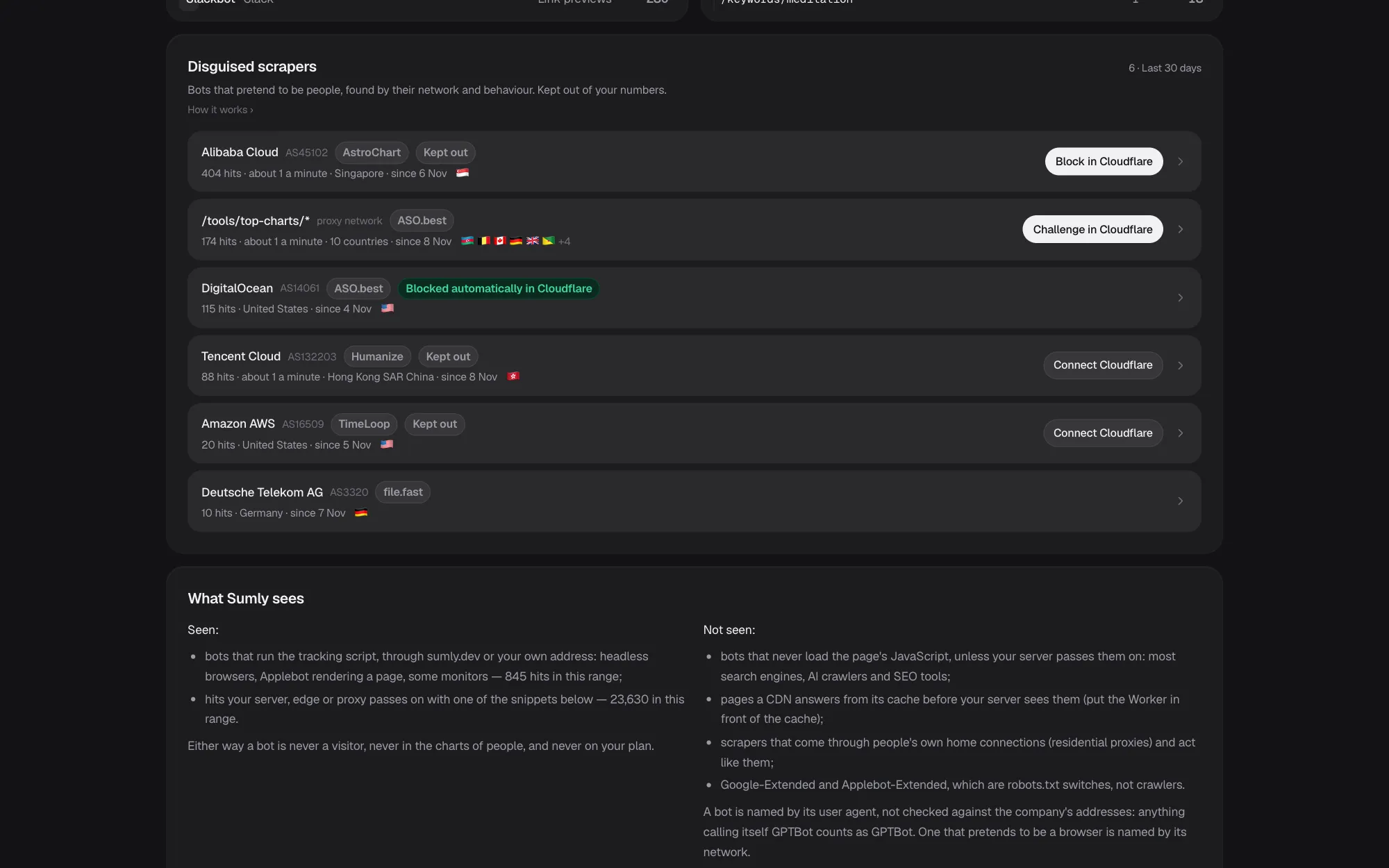
Crawlers and scrapers that pose as browsers are found by their network and how they behave, kept out of your visitors, clicks and plan, and shown on a page of their own. Block one with a click in your Cloudflare, Bunny or Vercel, let Sumly do it, or copy a rule for nginx or Apache.
Found, kept out, blocked
Found by network and behaviour
A browser driven by a program, many new visitors from one cloud in minutes, a day of visits with no movement, or one part of a site hit from many countries at once.
Kept out of everything
A view the filter keeps out is never a visit: not in your visitors, Live, pages, clicks or replays, and never on your plan.
Shown apart
Bot hits per day, the top bots, the pages they take most, and AI crawlers by what they do: answers, indexing or training.
Block it where your site is served
Connect your Cloudflare, Bunny or Vercel with a token you make and block a scraper's network, or challenge a proxy network on one path, in one click. Undo it the same way.
Or let it block by itself
Turn on Block clear scrapers by myself, and Sumly blocks cloud networks caught at it with 100 page views or more. Home and mobile networks are never blocked whole.
A notice when it starts
A bot attack comes to the bell and your phone once, with the way to block it, and a line when it ends.
Where it blocks
Blocking happens where your site is served: in your Cloudflare, Bunny or Vercel with a token you make, or with rules you copy to your own server. The filter and the blocking are on every plan.
- CloudflareAny plan. A custom rule on the network's number that lets the bots Cloudflare verifies through.
- BunnyBunny Shield on Advanced or above. A custom WAF rule on the network's number.
- VercelEvery plan. A Firewall custom rule on the network's number.
- Your own serverRules to copy for nginx or Apache. No one-click, autopilot or undo, since Sumly never reaches your server.
Questions about the bot filter
Is the bot filter on every plan?
Yes, and it is always on. What it keeps out never counts toward your plan.
What if real people come from a cloud network?
Mark that network as people with These are people: count them, and Sumly counts them from then on.
Does it block anything without asking?
Only if you turn on the autopilot for that project, on Cloudflare, Bunny or Vercel. Without it, Sumly shows the scraper and waits for your click.
My site runs on my own server. Can I still block them?
Yes. Each scraper comes with a rule to copy into nginx or Apache: its network's address ranges to deny, or a pace limit on the part of the site it crowds. Sumly never reaches your server, so you add and remove them.
What about bots that never run JavaScript?
Those never reach a page counter. Pass your server's hits on to Sumly with one of the snippets on the Bots page and they are named and counted too.
Can an assistant see the bots?
Yes, in Claude, Claude Code and Codex over MCP, and it can block one after you confirm.
Goes well with
Try it with your own projects
Sign in with Google or a code by e-mail and connect your first project. The first 14 days of a paid plan are free, with no card.
Start free trialOr look around first: open the live demo.