Know the moment it happens
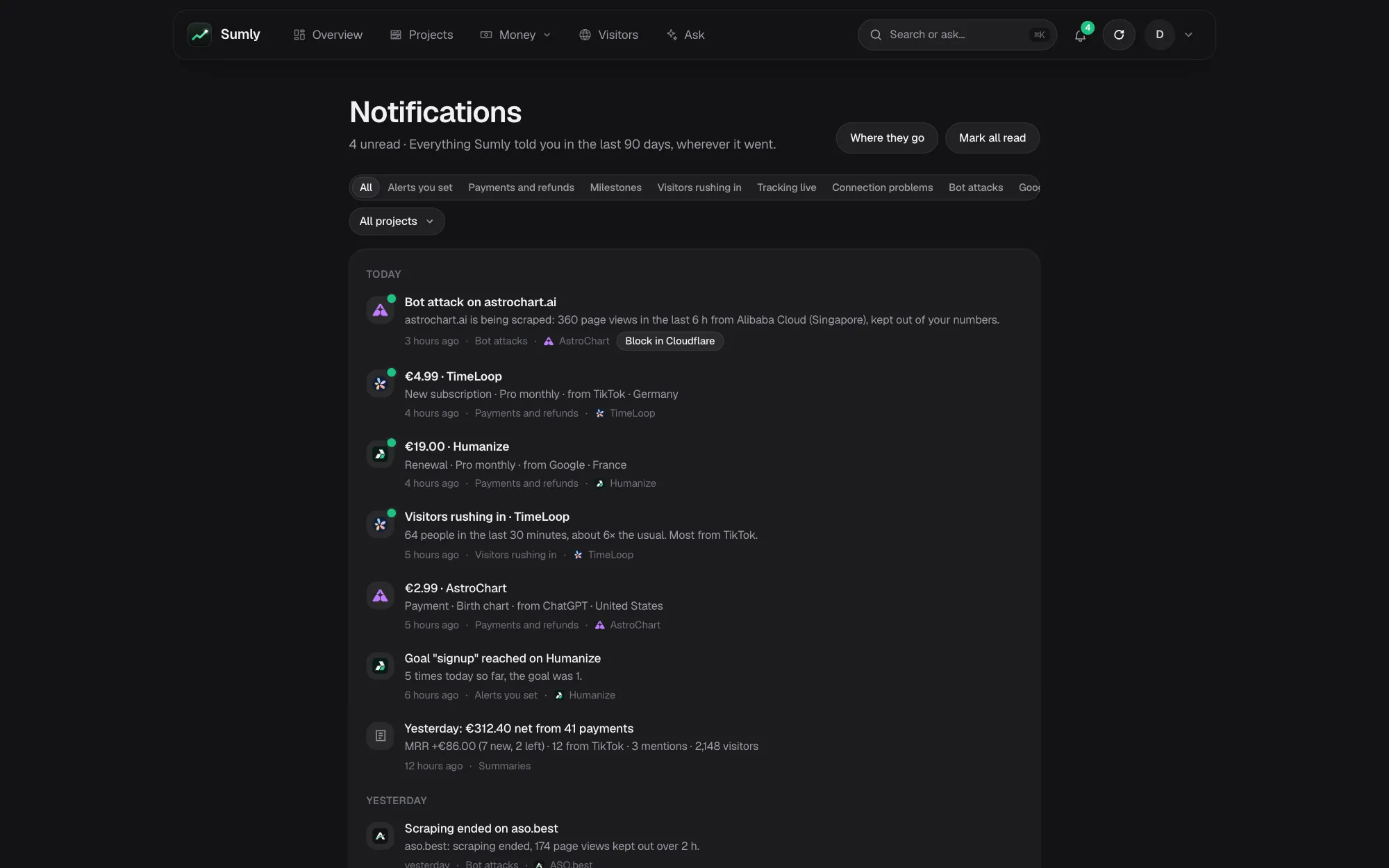
A push to your phone when someone pays, asks for a refund, rushes in or scrapes a site, and the bell on the web that keeps everything Sumly told you for 90 days. Each person picks where each kind goes.
What tells you, and where
Payments and refunds
Each sale with its amount, plan, source and country, with a till sound on the phone if you like.
Visitors rushing in
Many more people on a site than in its usual half hour, and where most of them came from.
Bot attacks
Scrapers hitting a site hard, once an attack, with the way to block them.
Alerts you set
Visitors up or down, a new payment, a refund, tracking gone quiet, a goal reached, a traffic spike or a bot attack, by e-mail, Discord or the app.
Summaries
A short summary on the phone each day or week at the hour you pick, and a report by e-mail on Mondays.
Milestones and problems
A project's first payment and its 10th, 100th and 1,000th, the first visit it gets, and a payment provider Sumly can no longer read.
Who gets what
Everyone who sees a project gets its notices: the owner and the team members it is shared with. Each of them picks Bell, Push or E-mail for each kind.
- The bellEverything, kept 90 days, by kind and project, with repeats folded.
- PushThe Sumly app on Android and iPhone. On by default for payments, rushes, bot attacks and summaries.
- E-mailOn by default for tracking going live and connection problems; your plan always by e-mail.
- An alert you setSays itself where it goes: e-mail, a Discord channel, or the app for you, everyone on the project, or chosen people.
Questions about notifications
Will I get a push for every payment?
If you leave payments on. Several in a day fold together in the bell, and you can turn the push off and keep the bell.
Does Sumly post to Slack?
Not yet. Alerts you set go by e-mail, to a Discord channel or to the app.
Does my accountant get these?
No. The Accountant role sees the monthly packages only, and no notices.
Where do I change what I get?
Visitors › Insights › Alerts, under Where Sumly tells you, or in the app's settings.
Goes well with
Try it with your own projects
Sign in with Google or a code by e-mail and connect your first project. The first 14 days of a paid plan are free, with no card.
Start free trialOr look around first: open the live demo.