Ask your numbers from any assistant
Add one address to Claude, ChatGPT, Claude Code, Codex or Cursor, sign in to Sumly, and ask about MRR, payments, customers, plans, costs and visitors in your own words.
What you can ask
Money
How MRR moved this month, which plan sells, who the biggest customers are, what each cost brought back, and the months ahead.
Visitors
Where paying customers come from, who is on the site now, the funnels, journeys, sessions and who came back.
One person
Every visit of one person or customer, and what they paid.
Setting up
How to connect each payment provider or put the script up, and a check of what is left.
Changes you confirm
Add a cost, a note, a payment or a funnel, read every source now, create a project. The assistant says what it will do first and does it only after you agree.
Bots and active users
In Claude, Claude Code, Codex and Cursor: the bots kept out, blocking one after you confirm, and daily, weekly and monthly active people.
Connect in a minute
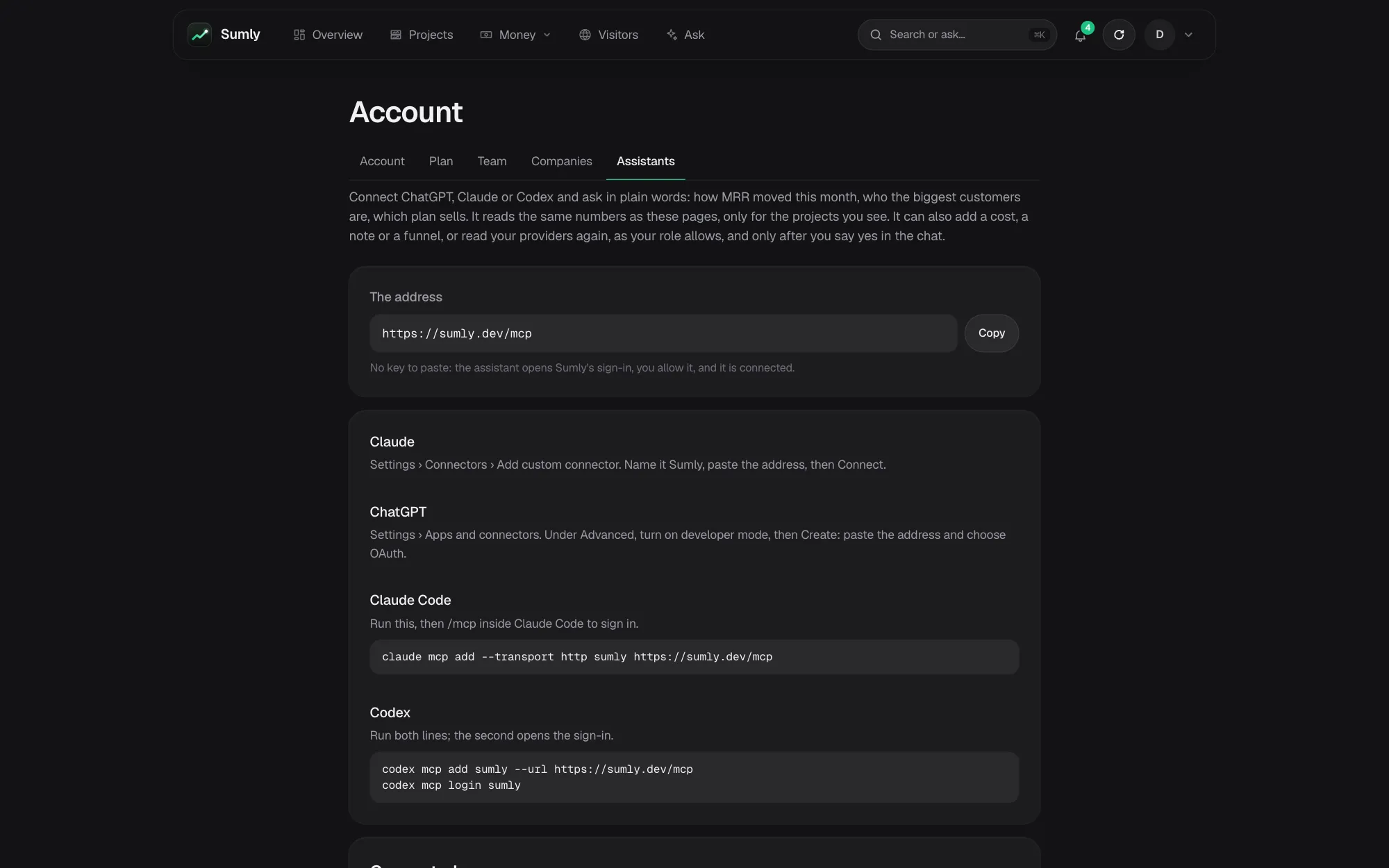
The address is the same for every assistant. Account › Assistants in Sumly shows it with the steps for each.
- ClaudeSettings › Connectors › Add custom connector, paste the address, sign in.
- ChatGPTSettings › Apps and connectors, turn on developer mode under Advanced, then Create with the address and OAuth.
- Claude Codeclaude mcp add --transport http sumly with the address, then /mcp to sign in.
- Codexcodex mcp add sumly --url with the address, then codex mcp login sumly.
- CursorAdd the address as a remote MCP server; it signs in the same way.
Questions about MCP
Is this the same as Ask on the site?
Both read with the same tools. Ask is built in and only reads; MCP lets the assistant you already use read your numbers and, once you confirm, make the changes your role allows.
Can the assistant change my numbers?
Only the changes the pages offer, each shown to you first. Nothing is written to Stripe or another provider, and no money moves.
What does Sumly keep?
Which tool was used, when and from which app, for 180 days. Not what you asked.
What does it cost?
Nothing extra: an assistant's questions count toward neither your visits nor your Ask questions.
How do I disconnect it?
Press Disconnect next to it under Account › Assistants, or remove the connector in the assistant.
Goes well with
Try it with your own projects
Sign in with Google or a code by e-mail and connect your first project. The first 14 days of a paid plan are free, with no card.
Start free trialOr look around first: open the live demo.